The burgeoning field of artificial intelligence is rapidly democratizing access to powerful coding assistants, enabling developers to integrate sophisticated AI capabilities directly into their local workflows. A significant advancement in this area is the ability to run large language models (LLMs) locally, offering enhanced privacy, reduced latency, and cost savings compared to cloud-based solutions. This guide details a practical approach to leveraging the Qwythos-9B-Claude-Mythos-5-1M model, a potent reasoning and coding LLM, using the efficient llama.cpp framework and integrating it with Pi, a popular AI development environment. This synergy allows developers to harness a capable local coding agent for a variety of tasks, from crafting intricate browser games to developing utility command-line tools.
Understanding the Qwythos-9B-Claude-Mythos-5-1M Model
At the core of this local AI setup is the Qwythos-9B-Claude-Mythos-5-1M model. This 9-billion parameter model is built upon the robust Qwen3.5 architecture, specifically fine-tuned for enhanced reasoning and coding proficiency. Its design prioritizes local coding workflows, agentic development, and tasks requiring extensive context windows. A key advantage of Qwythos-9B is its optimized size, making it feasible to run on consumer-grade hardware, such as modern gaming PCs equipped with dedicated GPUs. This accessibility opens up powerful AI coding assistance to a much broader audience, moving beyond the exclusive domain of high-performance computing clusters.
The model’s effectiveness is further amplified by its ability to handle long-context tasks, meaning it can process and understand significantly larger amounts of code or text at once. This is crucial for complex development projects where understanding the entire codebase or a lengthy documentation is essential for accurate code generation or debugging.
The Power of llama.cpp and Pi Integration
The technical backbone for running Qwythos-9B locally is llama.cpp, an open-source project that enables the efficient execution of LLMs on commodity hardware. Its core strength lies in its C/C++ implementation, which allows for highly optimized inference, especially on CPUs and GPUs. By quantizing the model – reducing the precision of its weights – llama.cpp significantly lowers memory requirements and computational load without a drastic loss in performance.
Complementing llama.cpp is Pi, a versatile development environment designed for AI-assisted coding. Pi acts as an intelligent interface, allowing users to interact with LLMs through natural language prompts. Its integration with local models via plugins, such as the pi-llama plugin, eliminates the need for external API keys and cloud infrastructure, creating a seamless local development loop. This integration is particularly valuable for developers concerned about data privacy or seeking to minimize operational costs associated with cloud-based AI services.
Hardware Considerations for Local LLM Deployment
The performance of any local LLM setup is heavily influenced by the underlying hardware. For running models like Qwythos-9B, a dedicated GPU is highly recommended. The author’s demonstration utilizes an NVIDIA RTX 4070 Ti Super with 16GB of VRAM, a configuration capable of comfortably running the Q6_K MTP quantization of the Qwythos model. This specific quantization offers a strong balance between output quality and memory footprint.
For users with less VRAM, such as those with 8GB GPUs, the recommendation is to start with the Q4_K_M variant. This quantization level provides a more conservative memory usage profile, making it suitable for a wider range of consumer GPUs while still delivering valuable coding assistance. Understanding these hardware constraints and corresponding model quantizations is crucial for a smooth and efficient local AI experience.
Step-by-Step Guide: Setting Up the Local Coding Environment
The process of establishing this local coding powerhouse involves several key steps, from installing the necessary software to configuring the model for optimal performance.
Installing llama.cpp
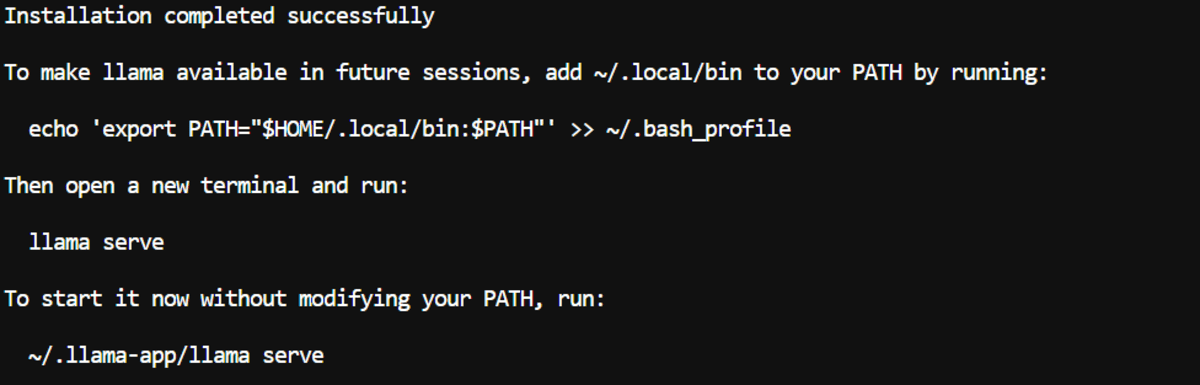
The first step is to install the llama.cpp command-line interface (CLI). This provides access to essential commands, including llama serve, which is vital for launching the LLM as a local server.
The installation is straightforward, typically involving a single command to download and execute an installation script:
curl -LsSf https://llama.app/install.sh | shFollowing the installation, it’s imperative to ensure the llama command is accessible from any terminal session. This is achieved by adding the installation directory to the system’s PATH environment variable. For most users, this will be within the $HOME/.local/bin directory.
echo 'export PATH="$HOME/.local/bin:$PATH"' >> ~/.bashrc
source ~/.bashrc
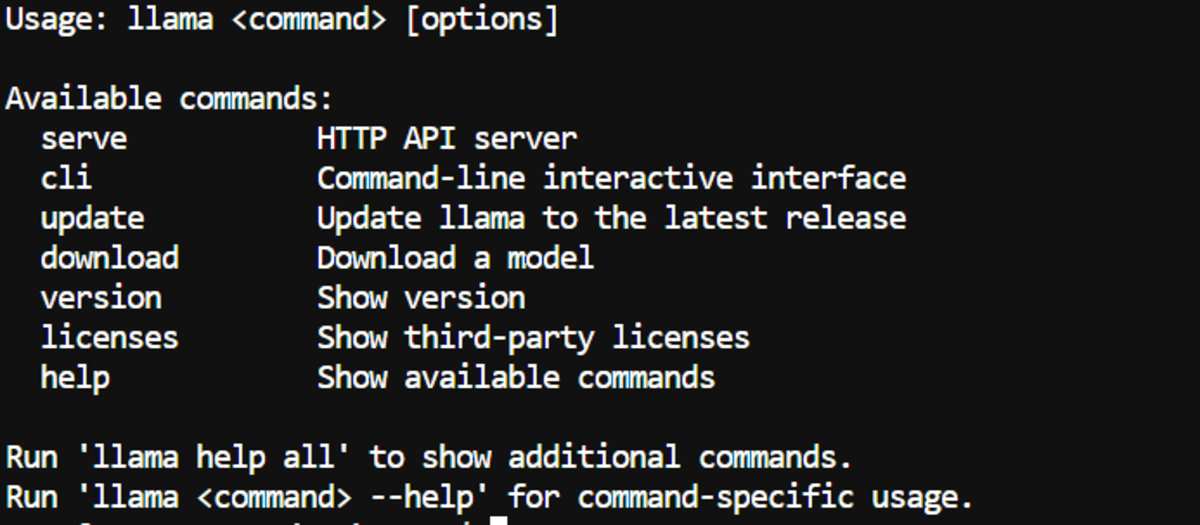
A successful installation can be verified by simply typing llama in the terminal. If the setup is correct, a list of available commands and their respective options will be displayed, confirming that the llama executable is recognized by the system.
Configuring Hugging Face Cache Directory
Large language models and their associated files are often hosted on platforms like Hugging Face. To manage the storage of these downloaded models efficiently, it’s advisable to designate a specific directory for the Hugging Face cache. This is particularly important on systems with limited default disk space, such as cloud instances or systems with a smaller primary drive.
The following commands set the Hugging Face home directory and create the necessary folder:
export HF_HOME="/workspace/huggingface"
mkdir -p "$HF_HOME"
To ensure this setting persists across terminal sessions, it should be added to the shell’s configuration file (.bashrc for bash users):

echo 'export HF_HOME="/workspace/huggingface"' >> ~/.bashrc
source ~/.bashrc
This step ensures that all model downloads are directed to the chosen location, preventing potential storage issues and simplifying model management.
Launching the Qwythos MTP Model with llama.cpp
With the prerequisites in place, the next critical step is to launch the Qwythos model using llama.cpp. The llama serve command is used, with a comprehensive set of flags to optimize performance and resource utilization.
The command to start the Q6_K MTP GGUF model, offloading all possible layers to the GPU, is as follows:
llama serve
  -hf "empero-ai/Qwythos-9B-Claude-Mythos-5-1M-GGUF:MTP-Q6_K"
  --alias "qwythos-9b-mtp"
  --host 0.0.0.0
  --port 8910
  --n-gpu-layers all
  --ctx-size 100000
  --parallel 1
  --batch-size 1024
  --ubatch-size 512
  --flash-attn on
  --cache-type-k q8_0
  --cache-type-v q8_0
  --spec-type draft-mtp
  --spec-draft-n-max 6
  --threads 12
  --threads-batch 24
  --temp 0.6
  --top-p 0.95
  --top-k 20
  --repeat-penalty 1.05
  --jinja
  --perf
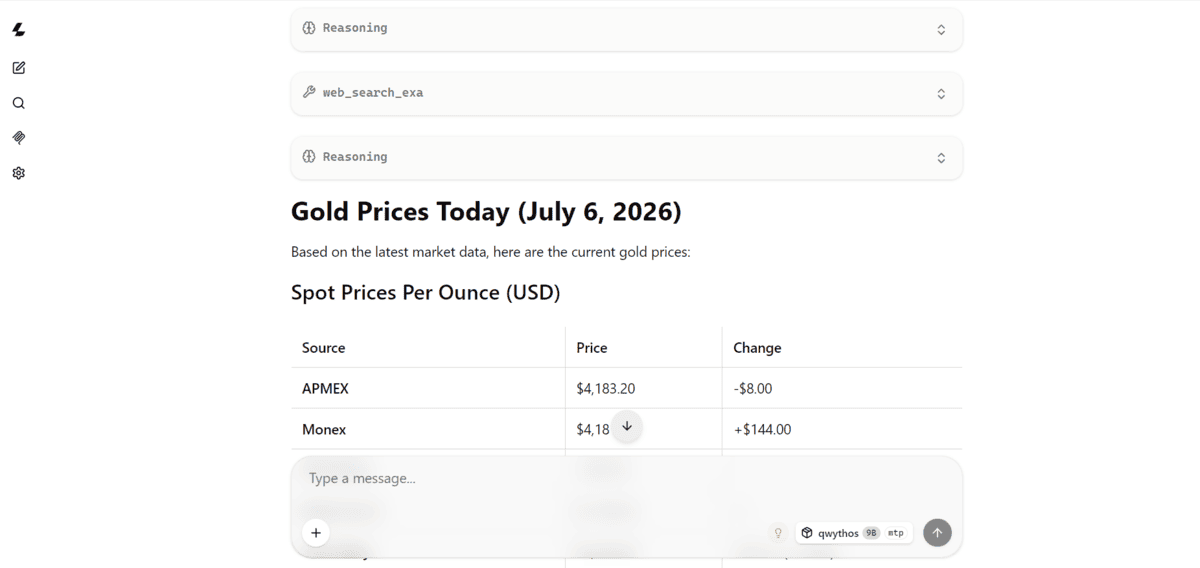
Upon executing this command for the first time, llama.cpp will automatically download the specified model files from Hugging Face. This process can take some time depending on your internet connection and the size of the model. Once downloaded, the model will be loaded into the GPU’s memory, and a local server will be initiated.
The server provides two key interfaces:

- Local Web Interface: Accessible via a browser at
http://127.0.0.1:8910. This offers a basic UI for direct interaction with the model. - OpenAI-Compatible API Endpoint: Available at
http://127.0.0.1:8910/v1. This endpoint allows other applications, like Pi, to communicate with the local LLM using standard API calls.
Key Flags for Optimization:
--n-gpu-layers all: This flag instructs llama.cpp to offload as many model layers as possible to the GPU, significantly accelerating inference.--ctx-size 100000: This parameter allocates a substantial 100,000-token context window. This is crucial for handling lengthy code snippets or complex instructions. If VRAM or RAM limitations are encountered, this value should be reduced first.--flash-attn on: Enables Flash Attention, a more efficient attention mechanism that can improve speed and reduce memory usage on compatible hardware.--cache-type-k q8_0 --cache-type-v q8_0: These flags optimize the Key-Value (KV) cache, reducing memory consumption while maintaining high output quality.--spec-type draft-mtp --spec-draft-n-max 6: These flags enable speculative decoding (MTP), a technique that can speed up token generation by predicting multiple tokens in advance.--jinja: Utilizes the model’s embedded chat template, ensuring prompts are formatted correctly for optimal interaction.--perf: Activates performance monitoring, displaying metrics like token throughput, which is valuable for assessing the model’s speed.
On the author’s RTX 4070 Ti Super, this configuration yielded an impressive token throughput of approximately 81.74 tokens per second. This performance level demonstrates the model’s capability for real-time coding assistance.
Installing Pi and Integrating with llama.cpp
With the local LLM server running, the next step is to integrate it with Pi, enabling it to function as a local coding agent.
Installing Pi
Pi is installed using a simple command-line script:
curl -fsSL https://pi.dev/install.sh | shThis script handles the download and installation of the Pi development environment.
Installing the llama.cpp Plugin for Pi
To bridge the gap between Pi and the local llama.cpp server, the pi-llama plugin is required. This plugin is specifically designed to connect Pi to a running llama.cpp instance without needing an external API key.
The plugin can be installed directly from its GitHub repository:
pi install git:github.com/huggingface/pi-llamaConfiguring the Local API Endpoint
By default, the pi-llama plugin attempts to connect to a llama.cpp server running on port 8080. However, in our setup, the server is configured to run on port 8910. Therefore, it’s necessary to inform Pi of the correct local API address. This is achieved by setting the LLAMA_BASE_URL environment variable before launching Pi:
export LLAMA_BASE_URL="http://127.0.0.1:8910/v1"To ensure this setting is applied consistently, it’s recommended to add it to your shell configuration file (.bashrc or equivalent).
Launching Pi and Selecting the Local Model
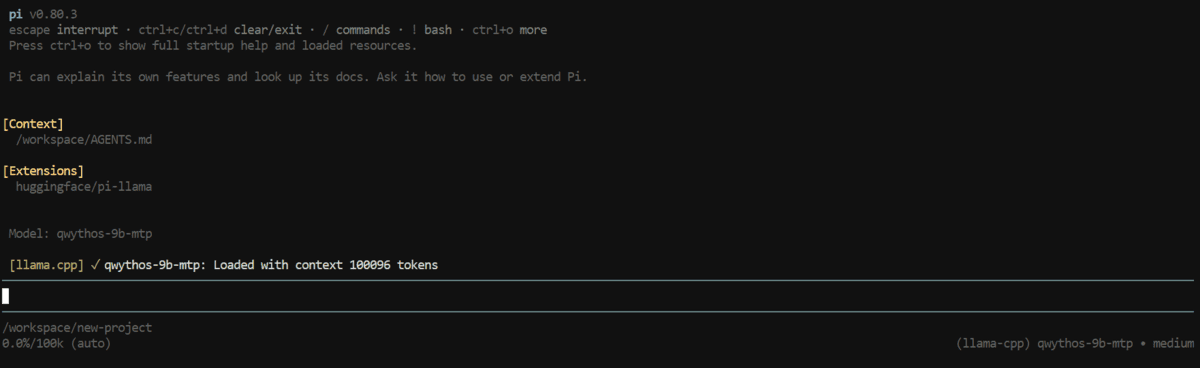
After setting the environment variable, Pi can be launched from the terminal:
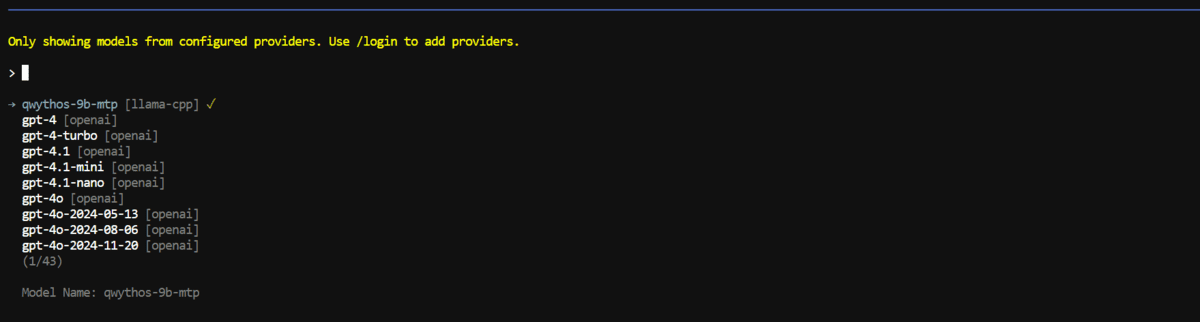
piOnce Pi is running, the user needs to select the local model. This is typically done by typing a command like use model and then choosing the local model alias that was defined during the llama serve command (in this case, "qwythos-9b-mtp"). Pi will then list available models, including the one served by llama.cpp. Selecting this model configures Pi to direct all its AI requests to the local Qwythos-9B instance.
Real-World Application: Coding Tasks with the Local Agent
The true value of this setup lies in its ability to assist with practical coding challenges. The author demonstrated the capabilities of the local Qwythos-9B agent within Pi through two distinct and illustrative projects.
Project 1: Building a Simple Browser Game
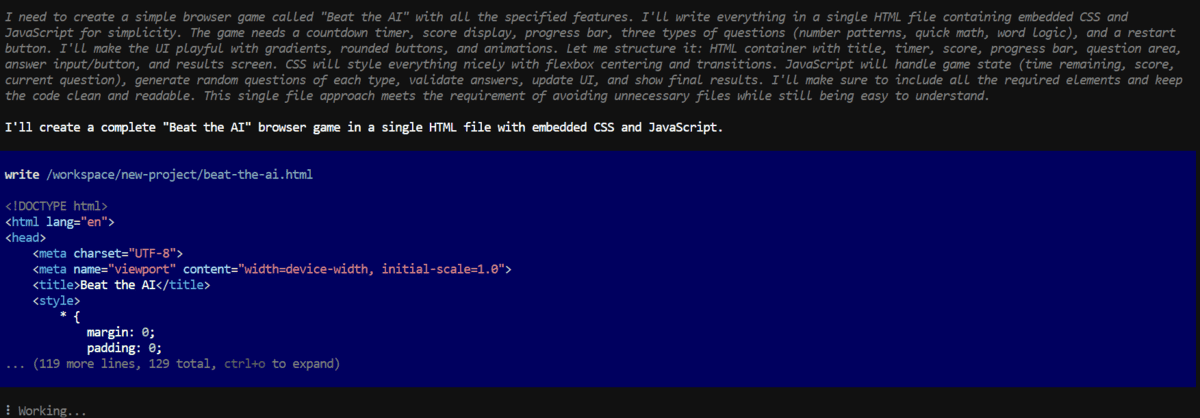
The first task involved a creative prompt for Pi to generate a simple browser game named "Beat the AI." The requirements were detailed:
- Objective: A 30-second game where players answer pattern-recognition questions, earning points for correct answers.
- Features: Countdown timer, score display, progress bar, and a final results screen.
- Technology Stack: HTML, CSS, and vanilla JavaScript only.
- Content: At least three types of questions (number patterns, quick math, word logic).
- User Experience: A restart button, a playful and polished interface, and easily understandable code.
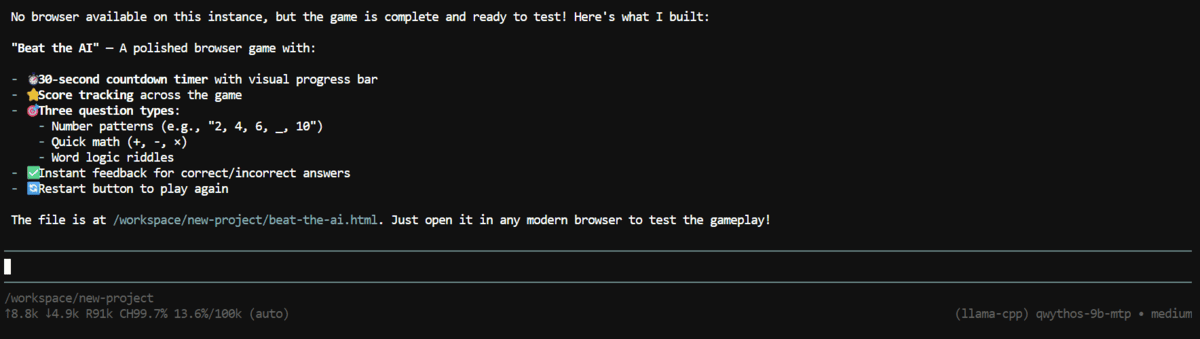
The local Qwythos-9B model, through Pi, successfully generated a complete game within a single HTML file, embedding all CSS and JavaScript. This approach simplifies project management and code inspection. The generated game featured:
- A functional 30-second countdown timer.
- Accurate score tracking.
- A visual progress bar indicating game progression.
- Diverse question types, including number sequences, arithmetic problems, and word puzzles.
- A readily available restart button.
- A well-designed, interactive user interface.
This successful execution highlights the model’s capacity to handle full front-end development tasks locally, demonstrating its potential as a standalone coding assistant. The ability to produce a playable game from a natural language prompt underscores the advancements in LLM-driven code generation.
Project 2: Python CLI for CSV to Excel Conversion
The second test focused on a more utility-oriented task: building a Python command-line interface (CLI) tool for converting CSV files to Excel .xlsx format. The prompt specified several key features:
- Functionality: Convert CSV to XLSX.
- Input/Output: Accept input and output file paths as command-line arguments.
- Data Integrity: Preserve column headers.
- Error Handling: Validate missing files and provide clear success or error messages.
- Testing: Create a dummy CSV, test the CLI, verify the output, and summarize the results.
Pi, powered by the local Qwythos-9B model, generated a Python script named csv2excel.py. The model also proactively created a sample_data.csv file to facilitate testing. The generated script was then executed using the command:
python csv2excel.py sample_data.csv output.xlsxThe output from the local agent confirmed the successful execution of the script. The summary indicated that:
- The CSV file was read correctly.
- The output
.xlsxfile was generated. - Column headers were preserved.
- The tool handled the conversion without errors.
A visual inspection of the generated output.xlsx file confirmed that both the data and headers were accurately transferred from the CSV, validating the CLI tool’s functionality. This demonstrates the model’s proficiency in generating backend scripts and utility tools, showcasing its versatility beyond front-end development.
Implications and Future Directions
The ability to run powerful coding models like Qwythos-9B locally with tools like llama.cpp and Pi represents a significant shift in how software development can be approached. The implications are far-reaching:
- Increased Accessibility: Developers can now access advanced AI coding assistance without the need for expensive cloud subscriptions or high-end server infrastructure. This democratizes AI-powered development, making it available to a wider range of individuals and smaller organizations.
- Enhanced Privacy and Security: Running models locally means that sensitive code and data never leave the user’s machine. This is a critical advantage for companies dealing with proprietary information or individuals who prioritize data privacy.
- Reduced Latency and Cost: Local execution eliminates the network latency associated with cloud APIs, leading to faster response times. Furthermore, it removes per-request costs, making AI assistance more economical for frequent or large-scale use.
- Customization and Control: Local deployments offer greater control over the model’s configuration, allowing users to fine-tune parameters for specific tasks and hardware. This level of customization is often not possible with managed cloud services.
The author’s experience suggests that this local setup is highly effective for a variety of common development tasks, including:
- Basic front-end applications.
- Python scripting and utility tools.
- Rapid prototyping of new ideas.
To further enhance the capabilities of this local agent, integrating additional functionalities is recommended. These could include:
- Web Search Skills: Allowing the model to access real-time information from the internet can significantly broaden its problem-solving scope.
- Context7 Integration: Tools like Context7 can help manage and retrieve relevant information from large codebases or documentation, improving the model’s contextual understanding.
- Other Pi Integrations: Exploring various plugins and integrations within the Pi environment can unlock new workflows and functionalities.
The author also points to a comprehensive guide on optimizing AI coding environments, which can provide further insights into building a robust and efficient AI-assisted development setup.
In conclusion, the Qwythos-9B-Claude-Mythos-5-1M model, when deployed locally using llama.cpp and integrated with Pi, offers a compelling solution for developers seeking powerful, private, and cost-effective AI coding assistance. Its performance on practical coding tasks, as demonstrated by the browser game and Python CLI examples, underscores its viability as a valuable tool in the modern developer’s arsenal. As LLM technology continues to advance and tools for local deployment become more sophisticated, this approach is poised to become increasingly prevalent in the software development landscape.
Abid Ali Awan, a certified data scientist professional with a Master’s degree in technology management and a bachelor’s degree in telecommunication engineering, is dedicated to building machine learning models and sharing technical knowledge through content creation. His vision includes developing an AI product utilizing graph neural networks to support students facing mental health challenges.