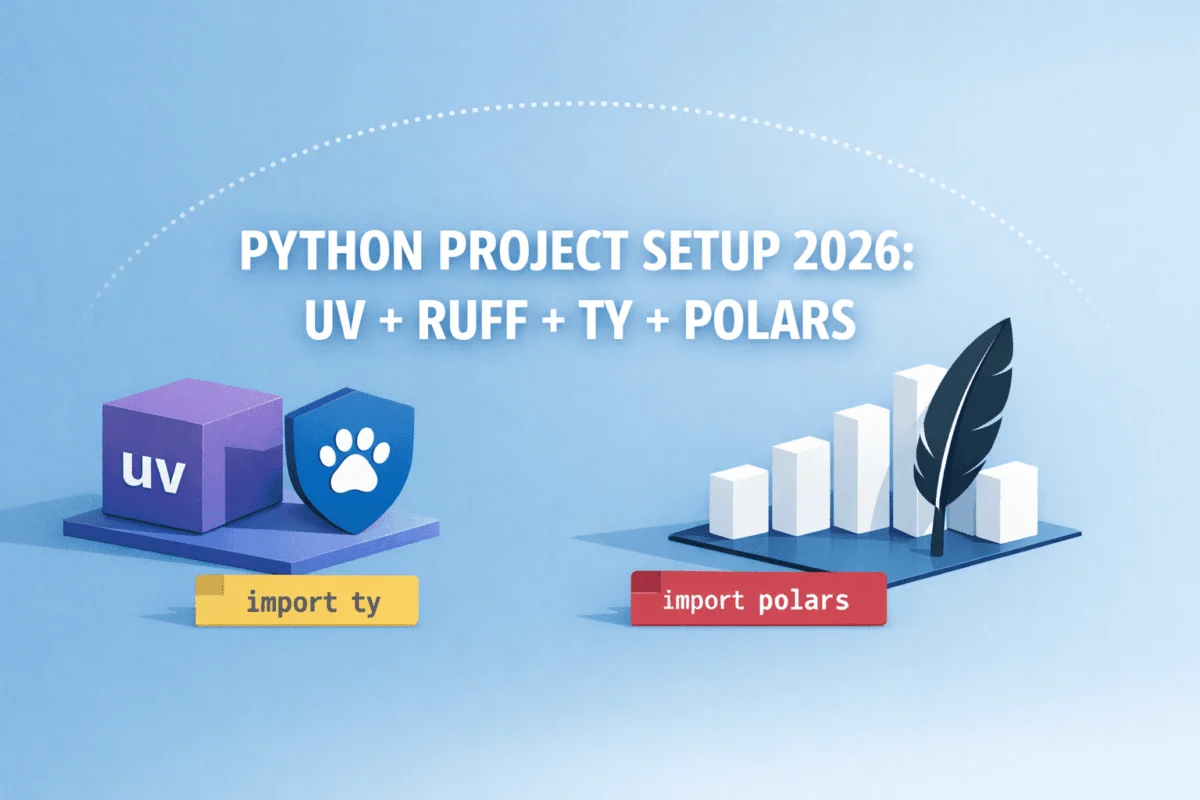
The landscape of Python project setup, once a labyrinth of choices and configurations, is poised for a significant simplification by 2026. This evolution is driven by a confluence of modern, high-performance tools that streamline the development workflow, enhance code quality, and accelerate data processing. For most new Python projects, a coherent and efficient default stack is emerging, centered around uv for dependency management and environment handling, Ruff for linting and formatting, Ty for type checking, and Polars for advanced data manipulation. This curated selection promises to drastically reduce the initial friction of setting up a project, allowing developers to focus on writing impactful code from the outset.
Historically, initiating a Python project involved a cascade of decisions. Developers grappled with selecting the right environment manager (e.g., pyenv, venv, conda), dependency resolution tools (pip-tools, Poetry), code formatters (Black), linters (Flake8), type checkers (mypy), and for data-centric projects, the choice between established libraries like pandas or newer contenders such as DuckDB or the rapidly ascendant Polars. This fragmentation led to considerable overhead, inconsistency across projects, and a steeper learning curve for newcomers or contributors. The "choice explosion" at the project’s inception often detracted from productive coding time.
The proposed 2026 default stack addresses this complexity by consolidating functionality. A key characteristic of this modern ecosystem is the deep integration between tools, notably the synergy between uv, Ruff, and Ty, all developed by Astral. This unified origin fosters seamless interoperability, ensuring that these tools work harmoniously within the pyproject.toml configuration file, a central tenet of modern Python project management. This consolidation aims to minimize the number of configuration files, reduce context switching, and simplify the onboarding process for new team members and the setup of continuous integration (CI) pipelines.
The Power of Integration: Understanding the 2026 Stack
The traditional Python project setup often resembled a complex orchestration: pyenv for Python version management, pip for package installation, venv for virtual environments, pip-tools or Poetry for dependency management and locking, Black for formatting, isort for import sorting, Flake8 for linting, and mypy for static type checking, alongside a data library like pandas. While functional, this approach was characterized by significant overlap in functionality and increased maintenance burden. Each tool required its own configuration and updates, contributing to a less streamlined development experience.
The 2026 stack offers a more integrated and efficient alternative. By collapsing multiple functionalities into single, high-performance tools, it dramatically reduces overhead. For instance, uv is designed to replace pyenv, pip, venv, and the dependency management aspects of Poetry. Similarly, Ruff consolidates the roles of multiple linters and formatters, while Ty offers a modern approach to type checking. This consolidation leads to fewer dependencies, fewer configuration files, and a more cohesive development environment.
Prerequisites for a Modern Workflow
Embarking on this streamlined setup requires minimal prerequisites. Crucially, developers do not need to pre-install Python, pip, venv, pyenv, or conda. The primary tool, uv, is designed to handle the installation and management of Python versions and environments autonomously. This eliminates a significant hurdle that has historically complicated the initial setup for many Python projects.
The installation of uv itself is remarkably straightforward. It provides a standalone binary that operates across macOS, Linux, and Windows without requiring prior installation of Python or Rust. The installation process is typically executed via a simple command-line script.
For macOS and Linux users:
curl -LsSf https://astral.sh/uv/install.sh | shFor Windows users (PowerShell):
powershell -ExecutionPolicy ByPass -c "irm https://astral.sh/uv/install.ps1 | iex"Following the installation, a terminal restart is recommended. Verification can be done by running uv --version. This single binary effectively supersedes a multitude of traditional tools, including pyenv, pip, venv, pip-tools, and the project management layer typically found in tools like Poetry.
Step 1: Initiating a New Project with uv
Creating a new project is initiated with the uv init command, which scaffolds a basic project structure. Navigating to the desired project directory and executing uv init my-project followed by cd my-project sets up the foundational files.
The initial structure generated by uv init typically includes:
my-project/
├── .python-version
├── pyproject.toml
├── README.md
└── main.py
To optimize for better import management, packaging, and test isolation, it’s advisable to adopt a src/ layout. This involves creating nested directories for the project’s source code and tests.
mkdir -p src/my_project tests data/raw data/processed
mv main.py src/my_project/main.py
touch src/my_project/__init__.py tests/test_main.py
The project structure then evolves to:
my-project/
├── .python-version
├── README.md
├── pyproject.toml
├── uv.lock
├── src/
│   └── my_project/
│       ├── __init__.py
│       └── main.py
├── tests/
│   └── test_main.py
└── data/
    ├── raw/
    └── processed/
For projects requiring a specific Python version, uv facilitates installation and pinning. For example, to install and pin Python 3.12:
uv python install 3.12
uv python pin 3.12
The uv python pin command automatically updates the .python-version file, ensuring consistent interpreter usage across all team members and development environments. This feature is critical for reproducibility and minimizing environment-related bugs.
Step 2: Seamless Dependency Management with uv
Adding project dependencies is streamlined into a single command that handles resolution, installation, and locking simultaneously. The uv add command automatically creates a virtual environment (typically named .venv/) if one doesn’t exist. It then resolves the dependency tree, installs the specified packages, and crucially, updates the uv.lock file with exact, pinned versions of all dependencies and their sub-dependencies. This locking mechanism is paramount for ensuring reproducible builds and preventing unexpected behavior caused by dependency drift.
For development-specific tools, such as linters, formatters, and testing frameworks, the --dev flag is employed:
uv add --dev ruff ty pytestThese development dependencies are automatically segregated into a [dependency-groups] section within pyproject.toml. This practice maintains a lean production dependency list, improving deployment efficiency and reducing the attack surface. A significant advantage of uv is its integration with uv run, which obviates the need for manual environment activation (e.g., source .venv/bin/activate). uv run automatically activates the correct environment for the specified command, further simplifying the workflow.
Step 3: Unified Linting and Formatting with Ruff
Ruff, a lightning-fast Python linter and formatter written in Rust, is configured directly within pyproject.toml. This centralizes all project-specific tooling configurations. The following sections can be added to pyproject.toml to enable Ruff for linting and formatting:
[tool.ruff]
line-length = 100
target-version = "py312"

[tool.ruff.lint]
select = ["E4", "E7", "E9", "F", "B", "I", "UP"]

[tool.ruff.format]
docstring-code-format = true
quote-style = "double"
A line length of 100 characters strikes a balance for modern displays, enhancing readability without excessive horizontal scrolling. The select option in the linting configuration enables a curated set of rule groups, including those from flake8-bugbear (for bug detection), isort (for import sorting), and pyupgrade (for modernizing syntax). These selections provide substantial value without overwhelming a new repository with overly strict rules. The formatting section ensures consistent code style, including the formatting of docstrings and quote styles.
Executing Ruff checks and formatting is integrated with uv run:
# Lint your code
uv run ruff check .

# Auto-fix issues where possible
uv run ruff check --fix .

# Format your code
uv run ruff format .
The uv run <tool> <args> pattern is consistent, reinforcing the idea of environment-agnostic execution without manual activation.
Step 4: Robust Type Checking with Ty
Ty is a modern, fast type checker designed to integrate seamlessly into the Python development workflow. Its configuration is also managed within pyproject.toml, ensuring a single source of truth for project settings.
[tool.ty.environment]
root = ["./src"]

[tool.ty.rules]
all = "warn"

[[tool.ty.overrides]]
include = ["src/**"]

[tool.ty.overrides.rules]
possibly-unresolved-reference = "error"

[tool.ty.terminal]
error-on-warning = false
output-format = "full"
This configuration sets Ty to operate in "warn" mode by default, which is an effective strategy for gradual adoption. Developers can address obvious type errors first and progressively promote more rules to "error" status. The exclusion of directories like data/** from type checking prevents the checker from flagging issues in non-code assets, reducing noise and focusing on the codebase. The error-on-warning = false setting allows for a less disruptive initial adoption of type checking.
Step 5: Streamlined Testing with pytest
pytest, the de facto standard for Python testing, is also configured within pyproject.toml, further consolidating project settings.
[tool.pytest.ini_options]
testpaths = ["tests"]
This simple configuration directs pytest to look for tests within the tests/ directory. Running the test suite is then achieved through uv run:
uv run pytestThis command ensures that tests are executed within the project’s managed environment, guaranteeing consistency and reproducibility.
Step 6: The Unified pyproject.toml
The culmination of these configurations results in a single, comprehensive pyproject.toml file that governs all aspects of the project’s tooling and dependencies. This centralized configuration eliminates scattered files and simplifies project management significantly.
A complete pyproject.toml for a project utilizing this stack might look like this:
[project]
name = "my-project"
version = "0.1.0"
description = "Modern Python project with uv, Ruff, Ty, and Polars"
readme = "README.md"
requires-python = ">=3.13"
dependencies = [
    "polars>=1.39.3",
]

[dependency-groups]
dev = [
    "pytest>=9.0.2",
    "ruff>=0.15.8",
    "ty>=0.0.26",
]

[build-system]
requires = ["hatchling"]
build-backend = "hatchling.build"

[tool.hatch.build.targets.wheel]
packages = ["src/my_project"]

[tool.ruff]
line-length = 100
target-version = "py312"

[tool.ruff.lint]
select = ["E4", "E7", "E9", "F", "B", "I", "UP"]

[tool.ruff.format]
docstring-code-format = true
quote-style = "double"

[tool.ty.environment]
root = ["./src"]

[tool.ty.rules]
all = "warn"

[[tool.ty.overrides]]
include = ["src/**"]

[tool.ty.overrides.rules]
possibly-unresolved-reference = "error"

[tool.ty.terminal]
error-on-warning = false
output-format = "full"

[tool.pytest.ini_options]
testpaths = ["tests"]
This comprehensive file defines the project’s metadata, production dependencies, development dependencies, build system (using hatchling for packaging), linting and formatting rules, type checking configurations, and testing paths.
Step 7: Embracing High-Performance Data Analysis with Polars
The inclusion of Polars in this stack signifies a move towards more performant and memory-efficient data manipulation. Polars, built on Rust and Apache Arrow, offers a DataFrame API that is often significantly faster and more memory-efficient than traditional libraries like pandas, especially for large datasets.
A sample Python script demonstrating Polars functionality could be placed in src/my_project/main.py:
"""Sample data analysis with Polars."""

import polars as pl

def build_report(path: str) -> pl.DataFrame:
    """Build a revenue summary from raw data using the lazy API."""
    q = (
        pl.scan_csv(path)
        .filter(pl.col("status") == "active")
        .with_columns(
            revenue_per_user=(pl.col("revenue") / pl.col("users")).alias("rpu")
        )
        .group_by("segment")
        .agg(
            pl.len().alias("rows"),
            pl.col("revenue").sum().alias("revenue"),
            pl.col("rpu").mean().alias("avg_rpu"),
        )
        .sort("revenue", descending=True)
    )
    return q.collect()

def main() -> None:
    """Entry point with sample in-memory data."""
    df = pl.DataFrame(

            "segment": ["Enterprise", "SMB", "Enterprise", "SMB", "Enterprise"],
            "status": ["active", "active", "churned", "active", "active"],
            "revenue": [12000, 3500, 8000, 4200, 15000],
            "users": [120, 70, 80, 84, 150],

    )

    summary = (
        df.lazy()
        .filter(pl.col("status") == "active")
        .with_columns(
            (pl.col("revenue") / pl.col("users")).round(2).alias("rpu")
        )
        .group_by("segment")
        .agg(
            pl.len().alias("rows"),
            pl.col("revenue").sum().alias("total_revenue"),
            pl.col("rpu").mean().round(2).alias("avg_rpu"),
        )
        .sort("total_revenue", descending=True)
        .collect()
    )

    print("Revenue Summary:")
    print(summary)

if __name__ == "__main__":
    main()
Before running this code, the project needs to be configured as a Python package so that uv can install it. This is achieved by adding a build system configuration to pyproject.toml, typically using hatchling:
cat >> pyproject.toml << 'EOF'

[build-system]
requires = ["hatchling"]
build-backend = "hatchling.build"

[tool.hatch.build.targets.wheel]
packages = ["src/my_project"]
EOF
After adding the build system configuration, dependencies are synchronized, and the project can be run:
uv sync
uv run python -m my_project.main
This execution will produce a neatly formatted Polars DataFrame output, demonstrating the efficient data processing capabilities of the library:
Revenue Summary:
shape: (2, 4)
┌────────────┬──────┬───────────────┬─────────┐
│ segment    ┆ rows ┆ total_revenue ┆ avg_rpu │
│ ---        ┆ ---  ┆ ---           ┆ ---     │
│ str        ┆ u32  ┆ i64           ┆ f64     │
╞════════════╪══════╪═══════════════╪═════════╡
│ Enterprise ┆ 2    ┆ 27000         ┆ 100.0   │
│ SMB        ┆ 2    ┆ 7700          ┆ 50.0    │
└────────────┴──────┴───────────────┴─────────┘
Managing the Daily Development Workflow
With the project set up, the daily development loop becomes exceptionally efficient. It typically involves pulling the latest code, synchronizing dependencies, writing code, and then running a suite of checks before committing.
# Pull latest changes and sync dependencies
git pull
uv sync

# Develop your code...

# Before committing: lint, format, type-check, and test
uv run ruff check --fix .
uv run ruff format .
uv run ty check
uv run pytest

# Commit changes
git add .
git commit -m "feat: add revenue report module"
This workflow ensures that code is always checked for quality, style, and correctness before being integrated into the main branch, fostering a robust and maintainable codebase.
The Mindset Shift: Python Development with Polars
The adoption of Polars in this modern stack necessitates a shift in how developers approach data manipulation. The default approach should favor:
- Lazy evaluation: Leveraging
Polars‘ lazy API (.lazy()) for building complex query plans that are only executed whencollect()is called. This optimizes performance by allowingPolarsto reorder operations and push down filters. - Columnar operations: Prioritizing vectorized operations on columns rather than row-wise iterations, which is fundamental to
Polars‘ performance. - Data types: Being mindful of data types and using
Polars‘ efficient type system to minimize memory usage and maximize processing speed. - Expressive query API: Utilizing the rich and expressive API of
Polarsfor transformations, aggregations, and joins.
When This Setup Might Not Be Ideal
While this stack represents a powerful default, it may not be the optimal choice in every scenario. Consider alternative approaches if:
- Legacy system integration: Projects heavily reliant on older Python versions or specific legacy libraries that are not compatible with the newer tooling might require a more traditional setup.
- Extremely simple scripts: For very small, standalone scripts with minimal dependencies and no complex requirements for linting or type checking, the overhead of this comprehensive setup might be unnecessary.
- Specialized tooling requirements: Certain niche domains might have established workflows or require highly specialized tools that are not yet fully integrated or supported within this particular ecosystem.
- Team familiarity: If a development team has deep expertise and established workflows with older tools, a gradual transition or a tailored approach might be more practical than an immediate switch to an entirely new stack.
Pro Tips for Enhancing the Workflow
To further refine the development process with this stack, consider the following:
- Customizing Ruff rules: Fine-tune
Ruff‘sselectandignoredirectives inpyproject.tomlto match your team’s specific coding standards and preferences. - Leveraging Ty’s overrides: Use
Ty‘s override capabilities to enforce stricter type checking on critical parts of your codebase while allowing more flexibility elsewhere. - Automating CI: Integrate
uv sync,uv run ruff,uv run ty, anduv run pytestinto your CI pipeline for automated code quality checks on every commit or pull request. - Exploring uv cache: Understand and leverage
uv‘s caching mechanisms to speed up dependency installations, especially in CI environments. - Adopting a
src/layout early: Implementing thesrc/layout from the project’s inception simplifies packaging and import management in the long run.
Conclusion: A New Era for Python Development
The 2026 Python default stack, anchored by uv, Ruff, Ty, and Polars, represents a significant leap forward in developer productivity and code quality. It systematically addresses the historical pain points of Python project setup by offering a fast, modern, and remarkably coherent ecosystem. The ability to manage environments, dependencies, linting, formatting, type checking, and data processing with a unified configuration and minimal friction is a game-changer. The environment-agnostic execution facilitated by tools like uv run fundamentally alters the development experience, making it more fluid and less error-prone. This evolution empowers developers to concentrate on innovation and delivering value, rather than wrestling with boilerplate configuration. As this stack matures and gains wider adoption, it is poised to become the standard for efficient and robust Python development.