
The rapid evolution of artificial intelligence has brought powerful large language models (LLMs) closer to individual developers and researchers. No longer confined to high-end cloud infrastructure, these advanced AI tools are becoming accessible for local execution, enabling more private, efficient, and customized workflows. A recent development highlights this trend: the ability to run the Mythos-enhanced Qwythos-9B-Claude-Mythos-5-1M model locally using the efficient llama.cpp framework and integrate it with the Pi coding assistant. This integration promises to transform how developers approach coding tasks, offering a potent local AI coding agent.
This comprehensive guide details the process of setting up this local AI coding environment. It covers the installation of llama.cpp, the configuration of Hugging Face cache directories, the deployment of the Qwythos model, and the subsequent integration with Pi. The goal is to empower users to leverage this advanced coding model on their own hardware, facilitating everything from rapid prototyping to complex agentic development.
The Power of Local LLMs: Qwythos and llama.cpp
At the heart of this setup is the Qwythos-9B-Claude-Mythos-5-1M model. This 9-billion-parameter model is a significant advancement, built upon the Qwen3.5 architecture. Its primary design focus is on enhancing reasoning and coding capabilities, making it particularly well-suited for local coding workflows, agentic development, and tasks requiring long context windows. What sets Qwythos apart is its optimized size, allowing it to run effectively on consumer-grade hardware, a crucial factor for widespread adoption. Despite its relatively compact footprint, it demonstrates a remarkable proficiency in assisting with practical coding challenges.
To facilitate the local execution of such models, the llama.cpp project has emerged as a critical piece of infrastructure. Developed with a strong emphasis on performance and efficiency, llama.cpp is a C++ implementation that allows LLMs to run on various hardware, including CPUs and GPUs, with minimal resource overhead. It supports a wide range of quantization techniques, which reduce the memory footprint and computational demands of models without significantly sacrificing accuracy. This makes it the ideal engine for running models like Qwythos on personal machines.
The integration of Qwythos with llama.cpp and the subsequent connection to Pi represent a significant step towards democratizing advanced AI coding assistance. This setup allows developers to bypass the latency and cost associated with cloud-based APIs, offering a more immediate and cost-effective solution for their development needs.
Setting Up the Local Environment: Installing llama.cpp
The first crucial step in this process is the installation of the llama.cpp command-line interface (CLI). This provides the necessary tools to manage and serve LLMs locally. The installation is streamlined, typically involving a simple script execution.
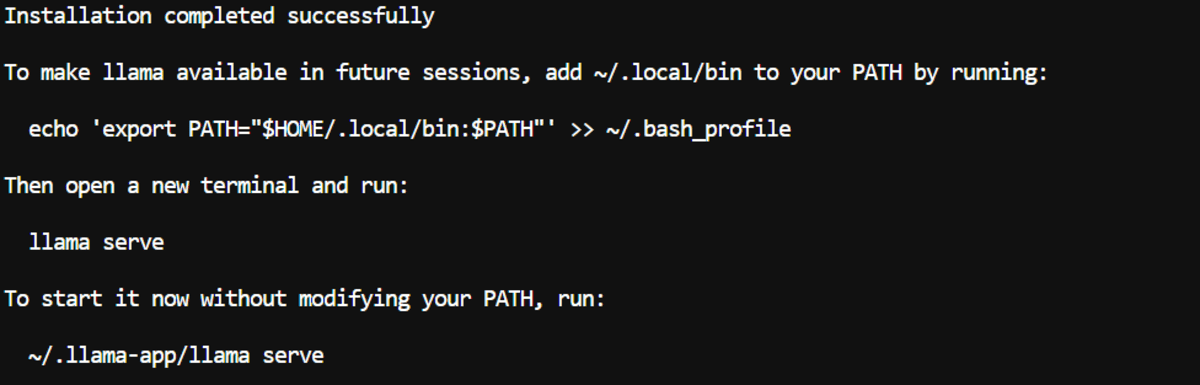
curl -LsSf https://llama.app/install.sh | shThis command downloads and executes an installation script. Upon successful execution, it makes the llama command available. To ensure this command can be accessed from any terminal session, it’s essential to add the installation directory to the system’s PATH environment variable. This is usually done by appending an export command to the shell’s configuration file, such as .bashrc.
echo 'export PATH="$HOME/.local/bin:$PATH"' >> ~/.bashrc
source ~/.bashrc
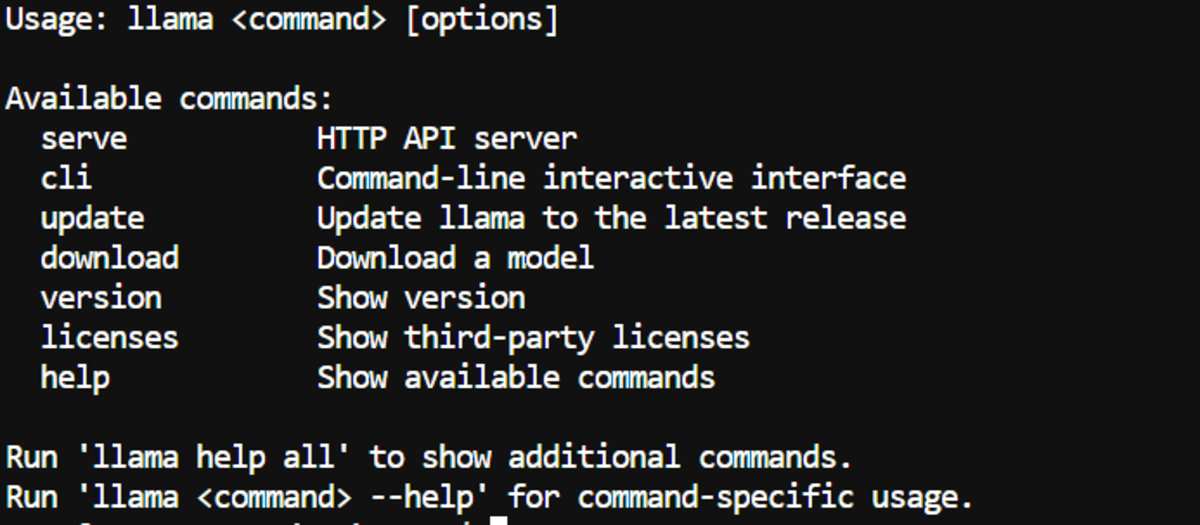
After updating the shell configuration, users can verify the installation by running llama without any arguments. A successful installation will display a list of available commands and their respective options, confirming that the CLI is ready for use.
Optimizing Storage: Hugging Face Cache Configuration
Large language models and their associated files can consume substantial disk space. Hugging Face, a prominent platform for hosting AI models, utilizes a cache directory to store downloaded models. For users working on systems with limited default storage, such as cloud instances or certain configurations, it is highly recommended to direct this cache to a location with ample free space. This is typically achieved by setting the HF_HOME environment variable.
export HF_HOME="/workspace/huggingface"
mkdir -p "$HF_HOME"
To ensure this setting persists across terminal sessions, it should also be added to the shell’s configuration file (~/.bashrc).
echo 'export HF_HOME="/workspace/huggingface"' >> ~/.bashrc
source ~/.bashrc
By implementing this, users can manage their storage effectively and prevent potential issues related to insufficient disk space when downloading models.
Deploying the Qwythos MTP Model with llama.cpp
With the llama.cpp environment set up, the next step is to deploy the Qwythos model. The specific model being used is empero-ai/Qwythos-9B-Claude-Mythos-5-1M-GGUF, which is available in various quantized formats. For users with powerful GPUs, such as an RTX 4070 Ti Super with 16GB of VRAM, the MTP-Q6_K quantization is recommended for its balance of quality and performance. For systems with less VRAM, such as an 8GB GPU, the Q4_K_M variant offers a better trade-off between quality, speed, and memory usage.

The llama serve command is used to launch the model as a local API endpoint. This command offers a multitude of parameters to fine-tune the model’s execution and optimize performance. A sample command for running the Q6_K MTP GGUF model with full GPU offloading is provided below:
llama serve
  -hf "empero-ai/Qwythos-9B-Claude-Mythos-5-1M-GGUF:MTP-Q6_K"
  --alias "qwythos-9b-mtp"
  --host 0.0.0.0
  --port 8910
  --n-gpu-layers all
  --ctx-size 100000
  --parallel 1
  --batch-size 1024
  --ubatch-size 512
  --flash-attn on
  --cache-type-k q8_0
  --cache-type-v q8_0
  --spec-type draft-mtp
  --spec-draft-n-max 6
  --threads 12
  --threads-batch 24
  --temp 0.6
  --top-p 0.95
  --top-k 20
  --repeat-penalty 1.05
  --jinja
  --perf
The first time this command is executed, llama.cpp will automatically download the model weights from Hugging Face. Once downloaded, the model will be loaded into the GPU’s memory, and a local server will be initiated. This server provides an OpenAI-compatible API endpoint at http://127.0.0.1:8910/v1, allowing other applications to interact with the model. A local web interface is also accessible via http://127.0.0.1:8080/ for direct interaction.
Key Parameters Explained:

--n-gpu-layers all: This parameter instructs llama.cpp to offload as many model layers as possible to the GPU, maximizing inference speed.--ctx-size 100000: Sets a large context window of 100,000 tokens. This is crucial for handling complex coding tasks that require understanding extensive codebases or long conversations. Users experiencing VRAM or RAM limitations can reduce this value.--flash-attn on: Enables the use of Flash Attention, an optimized attention mechanism that can significantly speed up inference, especially for long sequences.--cache-type-k q8_0and--cache-type-v q8_0: These flags optimize the Key-Value (KV) cache memory usage, maintaining good output quality while reducing the memory footprint.--spec-type draft-mtpand--spec-draft-n-max 6: These parameters enable MTP (Med-Tree-Predict) speculative decoding, a technique that allows the model to predict multiple tokens ahead, further boosting inference speed.--jinja: Activates the model’s embedded chat template, ensuring proper formatting of prompts and responses.--perf: Displays performance statistics, such as token throughput, providing valuable insights into the model’s speed.
On a system with an RTX 4070 Ti Super, this configuration achieved an impressive token throughput of approximately 81.74 tokens per second. This performance level is more than adequate for interactive coding assistance and agentic tasks.
Integrating with Pi: The Local Coding Agent
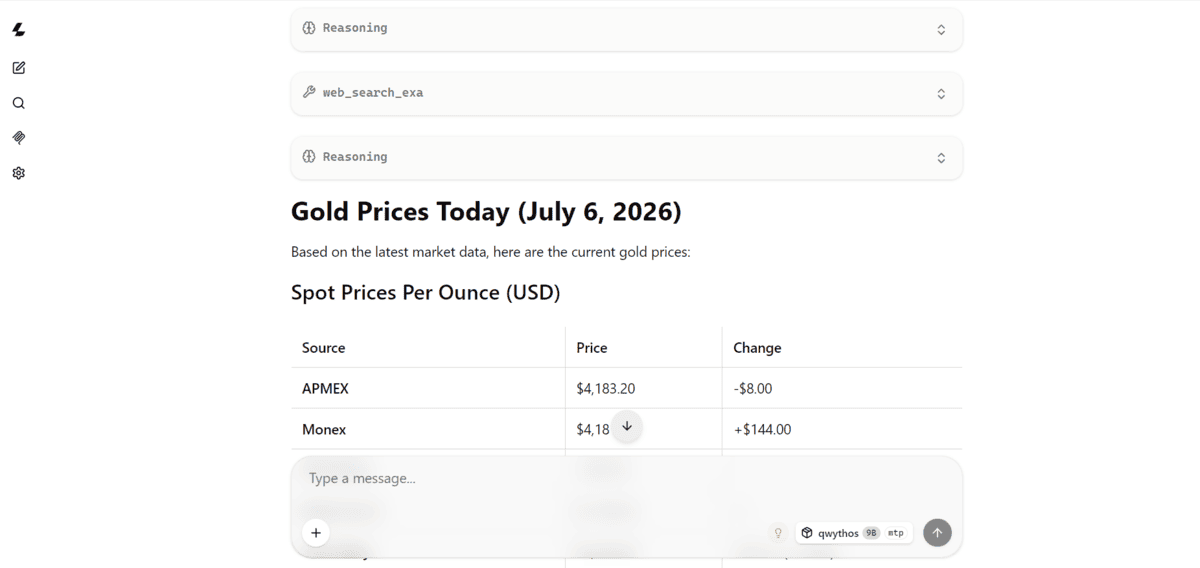
The true power of this local setup is unlocked when integrated with Pi, a versatile AI assistant designed for various tasks, including coding. Pi’s pi-llama plugin specifically bridges the gap between the Pi interface and a running local llama.cpp server, eliminating the need for external API keys.
The installation of Pi itself is straightforward:
curl -fsSL https://pi.dev/install.sh | shFollowing Pi’s installation, the pi-llama plugin needs to be installed:
pi install git:github.com/huggingface/pi-llamaBefore launching Pi, it’s crucial to configure the LLAMA_BASE_URL environment variable. By default, the pi-llama plugin expects the llama.cpp server to be running on port 8080. However, in this guide, the server is configured to run on port 8910. Therefore, the environment variable must be set accordingly:
export LLAMA_BASE_URL="http://127.0.0.1:8910/v1"With the environment variable set, Pi can be launched from the terminal:
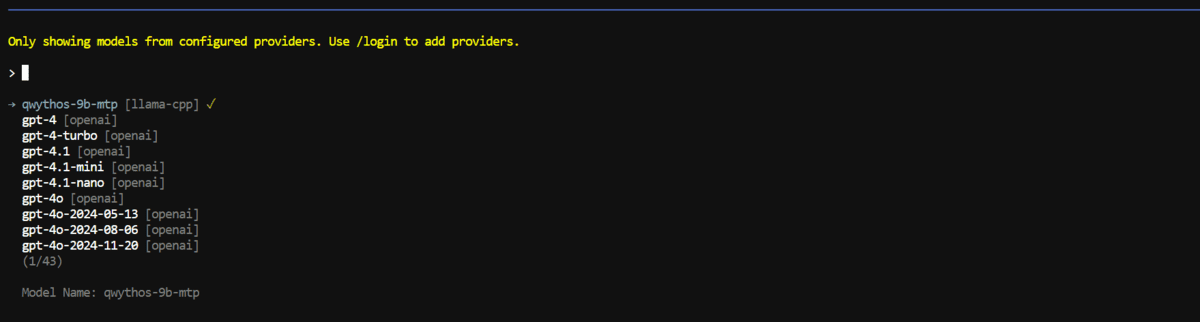
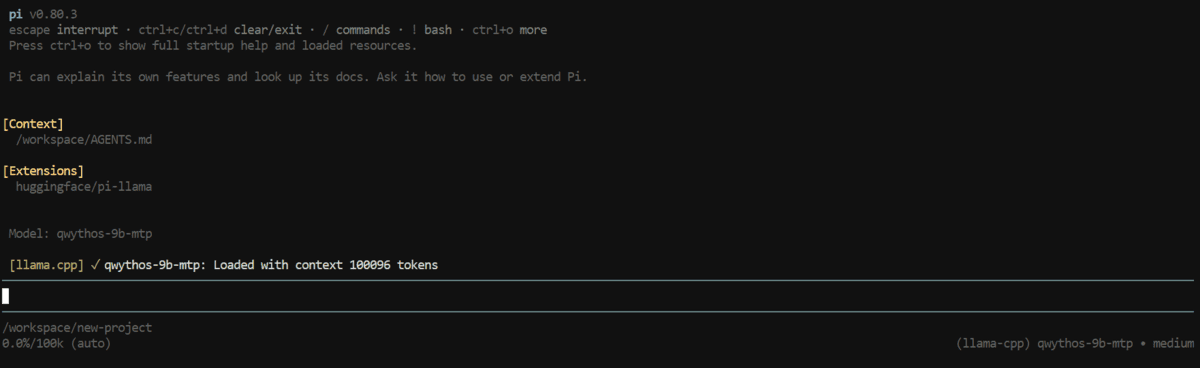
piOnce Pi is running, users can select their local model. This is done by typing change model and then selecting the local model alias, which in this setup is qwythos-9b-mtp. After selecting the local model, Pi will leverage the Qwythos model running via llama.cpp as its AI coding agent.
Practical Applications: Testing the Local Coding Agent
To demonstrate the capabilities of this integrated setup, two practical coding tasks were undertaken: building a simple browser game and creating a Python CLI tool for file conversion.
Building a Simple Browser Game
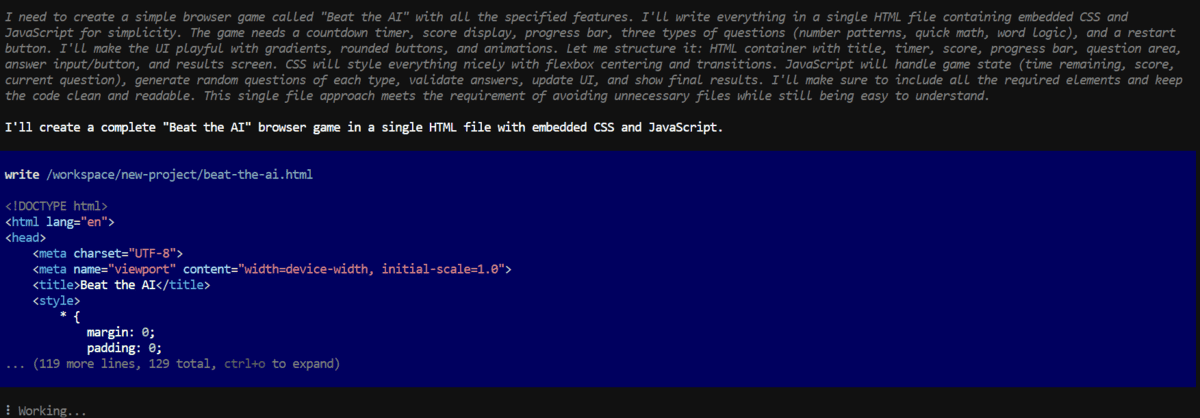
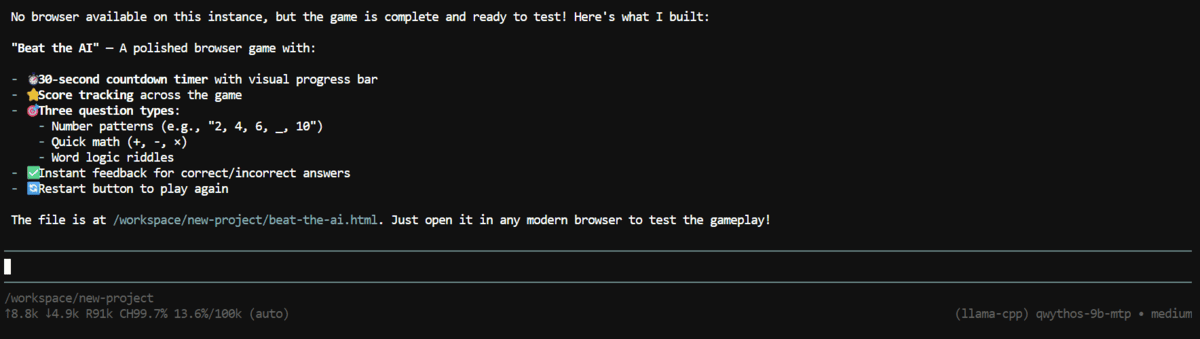
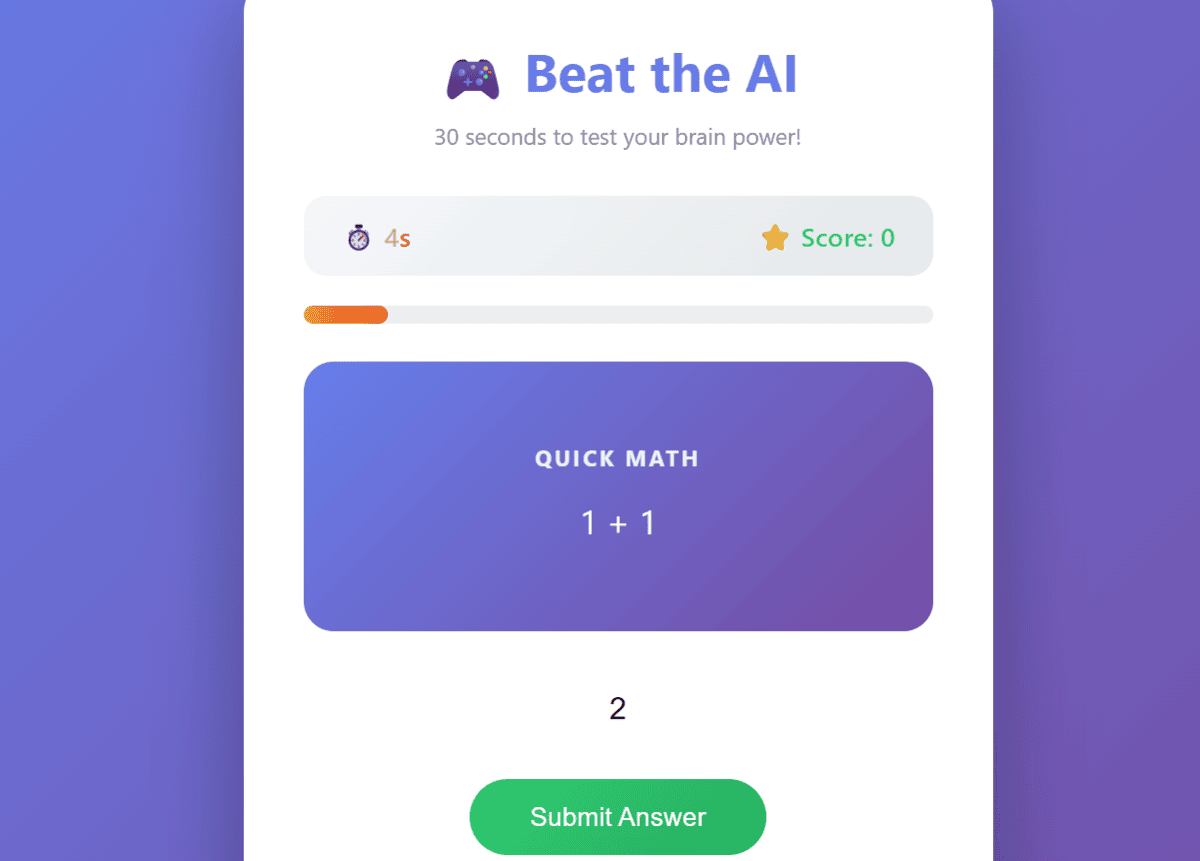
The first prompt tasked Pi with creating a browser game named "Beat the AI." The game was designed to test pattern recognition skills within a 30-second time limit, with scoring and a countdown timer. Key requirements included using only HTML, CSS, and vanilla JavaScript, implementing at least three types of questions, and providing a polished user interface with a restart button.
Create a simple browser game called "Beat the AI".

The player has 30 seconds to answer short pattern-recognition questions. Each correct answer increases the score by one. Show a countdown timer, score display, progress bar, and a final results screen.

Requirements:
- Use HTML, CSS, and vanilla JavaScript only.
- Generate at least three types of questions, such as number patterns, quick math, and word logic.
- Add a restart button after the game ends.
- Make the interface feel playful and polished.
- Keep all code easy to understand and avoid unnecessary files.

Test the game in the browser before finishing.
In response, Pi generated a single HTML file containing all the necessary code, including embedded CSS and JavaScript. This approach ensures simplicity and ease of inspection. The model successfully implemented the countdown timer, score tracking, progress bar, diverse question types, and the restart functionality. Upon testing the generated game in a browser, it functioned as expected, featuring a playful interface and responsive gameplay. This demonstrated the model’s ability to handle a complete front-end development task locally, from code generation to basic testing.
The generated game included:
- A functional 30-second countdown timer.
- Accurate score tracking with increasing points for correct answers.
- A visual progress bar indicating game progression.
- Multiple question types to challenge the player.
- A post-game results screen and a restart button.
This successful execution highlighted the utility of local LLMs for rapid prototyping and front-end development without reliance on external APIs.
Building a CSV-to-Excel Python CLI
The second test involved creating a Python Command Line Interface (CLI) tool capable of converting CSV files to Excel .xlsx format. The requirements included accepting input and output file paths as command-line arguments, preserving column headers, validating the existence of input files, and providing clear success or error messages. As part of the task, Pi was also instructed to create a dummy CSV file, test the CLI with it, verify the output, and summarize the test results.
Build a simple Python CLI that converts a CSV file into an Excel .xlsx file, accepts input and output file paths as arguments, preserves column headers, validates missing files, and prints clear success or final error messages. Before finishing, create a small dummy CSV file with sample data, use it to test the CLI, verify that the Excel file is created correctly, and then summarize the test result.Pi responded by generating a Python script named csv2excel.py. It also created a sample CSV file named sample_data.csv. The script was then executed using a sample command:
python csv2excel.py sample_data.csv output.xlsxThe output from Pi indicated that the script successfully converted the CSV data into an Excel file. The summary confirmed that:
- The script created the
csv2excel.pyfile. - A dummy
sample_data.csvfile was generated. - The conversion command was executed successfully.
- The
output.xlsxfile was created. - The Excel file contained the correct data and headers.
Upon manual verification of the generated output.xlsx file, it was confirmed that the rows and headers were preserved accurately, validating the functionality of the CLI tool. This task demonstrated the model’s proficiency in backend development, file manipulation, and the creation of command-line utilities.
Conclusion and Future Implications
The ability to run powerful coding models like Qwythos locally using efficient frameworks such as llama.cpp, and then integrate them with user-friendly assistants like Pi, marks a significant advancement in the accessibility and practicality of AI-driven development. The Qwythos model, despite its relatively small size, offers impressive speed and accuracy for everyday coding tasks, requiring minimal VRAM to be effective. This makes it an attractive option for developers who prioritize privacy, cost-efficiency, and on-demand access to AI assistance.
This local setup supports a wide range of applications, from crafting basic front-end applications and Python scripts to developing CLI tools and rapid prototypes. By eliminating reliance on external APIs and associated costs, developers can iterate more freely and build useful projects locally.
The integration with Pi further enhances this workflow by providing a conversational interface and access to additional plugins. The author suggests further optimizations by integrating web search capabilities and other Pi integrations, which can transform the local setup into an even more powerful coding agent. This comprehensive approach to local AI development, as detailed in guides like the one on setting up Kimi K2.7 Code with Pi, points towards a future where sophisticated AI coding partners are readily available on every developer’s machine.
The implications of this trend are far-reaching. It democratizes access to advanced AI tools, potentially leveling the playing field for developers and smaller organizations. It also fosters a more private and secure development environment, as sensitive code and project details do not need to be shared with third-party cloud services. As LLMs continue to evolve and become more efficient, the ability to run them locally will undoubtedly become a standard practice, empowering a new generation of developers with intelligent, on-demand coding assistance.